Operations | Monitoring | ITSM | DevOps | Cloud

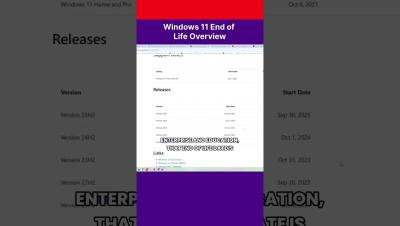
Windows 11 End of Life Overview #shorts

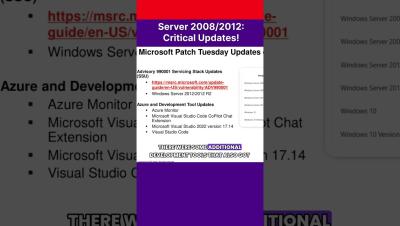
Key Takeaways November 2025 marks the first month of the Windows 10 Extended Security Updates program. If you are planning to run Windows 10 for an extended period, ensure you have upgraded to Windows 10 version 22H2. The Windows OS update is the highest priority this month as it resolves a known exploited CVE (CVE-2025-62215). Third-party updates from Adobe and Mozilla have already been released and an update for Google Chrome is expected soon, which means Edge will also need an update. November Patch Tuesday is the first Patch Tuesday after the EoL of Windows 10.

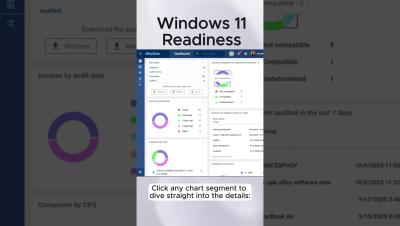
Ready for Windows 11? #sysadmin #win10

Windows 10 support already ended, but you are still running unsupported devices? AlloyScan shows which devices in your fleet are ready for Windows 11, and which need attention — missing TPM 2.0, incompatible CPU, or other requirements — all in seconds! Perfect for sysadmins who need clear, actionable insights to plan upgrades or replacements efficiently and avoid guesswork. Windows 11 migration readiness check and other great features arrived in AlloyScan this October.

Navigating Windows 10 End of Support #patch

Windows 10 end of support is nearing, leading to important discussions about future steps and ongoing support options. Microsoft offers Extended Security Updates for businesses to license critical systems. Many customers seek ways to prolong Windows 10's life while contemplating upgrades to Windows 11. The operational costs for maintaining support involve a flat subscription fee per device, with Ivanti providing support for certain products under this program.

Major Retailer Accelerates Windows 11 Migration with Collective IQ

Migrating to a new operating system can be compared to renovating a house: you may be able to postpone it for a while, but eventually, you’ll have to face the project — and the relief only comes once it’s complete. While a home renovation can be planned with some flexibility, a Windows 11 migration has a fixed deadline and carries high risks. Every detail matters: compatible hardware, available disk space, drivers, and critical software that all need to align.

13 Best Windows Monitoring Tools in 2025

It’s 2 AM, and your phone buzzes with an urgent alert—your primary server application is down, and users are flooding the support channels with complaints. As you dive into the logs, the cause is elusive, buried somewhere in the sea of system events. Is it a rogue service eating up memory? A failing disk? Or a network bottleneck? Without powerful Windows monitoring tools, you’re left troubleshooting in the dark.

AI in Server Monitoring: Why Human Context Still Matters in 2025

When Microsoft rolled out Windows Server 2025 last November, it marked a turning point in how IT teams think about monitoring. Suddenly, AI-powered features like anomaly detection, predictive resolution, and even self-healing aren’t ideas on a roadmap — they’re built into the very fabric of enterprise infrastructure.

Automated BSoD (Blue Screen of Death) Monitoring and Troubleshooting

Yes, BSoDs are still cropping up in high-impact ways in 2025, from flawed Windows updates (especially 24H2 patches) to driver rollouts and heavily-threaded server environments. It remains essential for IT admins to track event reports, test updates in staging, enable rollback strategies, and be prepared with recovery mechanisms.

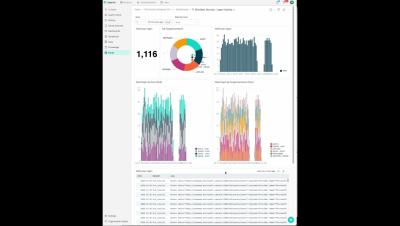
Monitor Windows Certificate Store with Datadog

The Windows Certificate Store is a critical component of any modern Windows environment. Certificates enable TLS encryption for Internet Information Services (IIS)-hosted applications, support certificate-based authentication in Active Directory, and help validate the identity of trusted Windows services. But if a certificate in your store expires, is revoked, or is part of a broken certificate chain, you risk instability and security gaps in your Windows environment.