Operations | Monitoring | ITSM | DevOps | Cloud

Sponsored Post

Almaden Supports IT Teams with the Windows 11 Upgrade

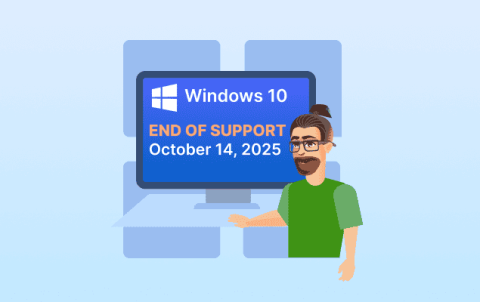
Microsoft has officially announced the end of support for Windows 10, effective October 14, 2025. This marks a significant transition point for enterprises and managed service providers (MSPs) as they must migrate users to Windows 11 to maintain security compliance and ongoing support. However, the shift to Windows 11 is not simply a version change - it introduces new system requirements, updated security features, and performance expectations. For many organisations, the upgrade demands detailed asset analysis, hardware compatibility assessments, and proactive management of employee experience to avoid business disruption.


Your Windows 11 Migration Is Looming - but There's a Bot for That

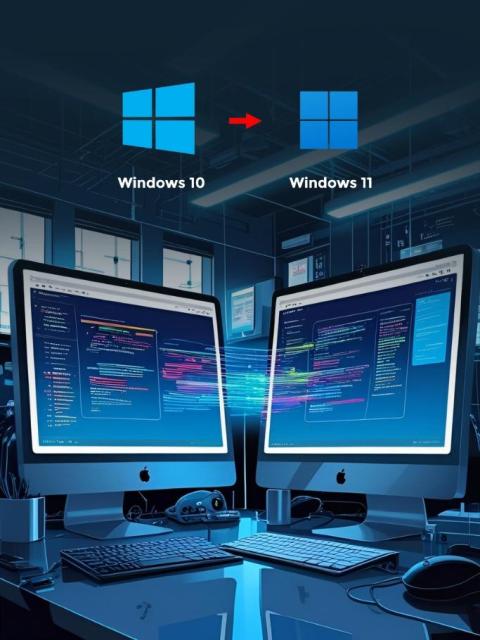
I recently spoke with a CIO who had committed a large amount of IT resources to manually migrating computers from Windows 10 to Windows 11. The process required months of planning, device assessments, compatibility testing and hands-on coordination to avoid disruptions to day-to-day business operations. While their dedication ensured their rollout was on track for the looming Windows 11 end-of-support date, it highlighted the strain such projects place on internal teams.

Three Methods for Finding Your Windows PC's Serial Number

It’s safe to say that most of us probably don’t have our Windows PC’s serial number memorized by heart–which becomes tricky once you need it during a repair or part replacement. This is why we at Ninjaone have created this video guiding you through how to find the serial number of your PC using Command Prompt, PowerShell, and BIOS. Chapters: Introduction 00:01 Command Prompt Method 00:22 PowerShell Method 00:50 BIOS Method 01:17.

How to Kill a Process in Windows: 4 Methods

Is your device lagging or unresponsive? One of the most effective ways to solve these issues is to force kill resource-heavy tasks to free up CPU and memory on your Windows system. In this video, you'll learn how to kill a process in Windows to address performance issues. We'll show you four different methods to force kill processes. Chapters: Introduction 00:01 Task Manager Method 00:37 TaskKill Method 01:10 PowerShell Method 02:04 Create Desktop Shortcuts 03:02 Third-Party Tools03:58Recap 04:12.

How to Start Safe Mode with Windows Command Prompt

Discover the cause behind crashes and system issues by using Safe Mode to access your Windows system without interference from third-party applications or system processes. Watch this video to learn how to start Safe Mode with Windows Command Prompt and find out what you can do in Safe Mode to resolve issues. CHAPTERS: Introduction 00:01 Advanced Startup Options 00:31 MSConfig 01:01 Alternative Methods 01:41 Troubleshooting 02:17 Conclusion 03:24.

Automate Disk Space Management on Windows with Resolve

Struggling with managing disk space issues on your servers or virtual machines? See how you can use Resolve to automate disk space addition and expansion on Windows systems, saving time, reducing manual errors, and eliminating the need for high-level administrative access. In this video, you'll learn how Resolve automates the process of: Whether you’re a system admin, IT operations engineer, or automation enthusiast, this demo highlights how you can streamline infrastructure tasks using intelligent automation.

Ensure the availability of critical services with the Opslogix Core Windows Service Management Pack

Ensure the availability of critical services with the Opslogix Core Windows Service Management Pack In a typical SCOM environment, a lot of the Management Packs are designed to monitor services tied to a specific technology, such as SQL Server, IIS, or the Windows operating system itself. But what about services that don’t belong to any particular application but are essential across all servers?

Windows VPS Hosting in Practice: Insights from the Kamatera Platform

When diving into the world of Windows VPS hosting, it's essential to choose a provider that offers robust performance, flexibility, and reliability. Kamatera stands out as a dominant player in this domain, providing an expansive suite of features tailored to enhance user experiences and system capabilities. By harnessing the full potential of Kamatera's platform, you can streamline your digital operations, ensuring they are both efficient and effective.