Operations | Monitoring | ITSM | DevOps | Cloud

Backup Deduplication: Overview for MSPs and IT

Backups are needed for everything from restoring a lost or damaged file to completing an entire disaster recovery. Data backups require a lot of storage space, which takes up more resources and drives costs up. To make the most of this storage, businesses need to optimize their data backups. Fortunately, backup deduplication can help reduce the overall load on data storage and provide other benefits.

Complete Guide to Data Backup & Recovery

In an increasingly digital business world, data backup has become vital for the protection of an organization’s interest. Businesses of all sizes can get hacked or breached, and indiscriminate ransomware attacks cause countless orgs to lose their valuable data to cyberthieves every year. Even disgruntled employees or other insider threats can steal or delete their valuable digital assets.

The 3-2-1 Backup Rule Explained

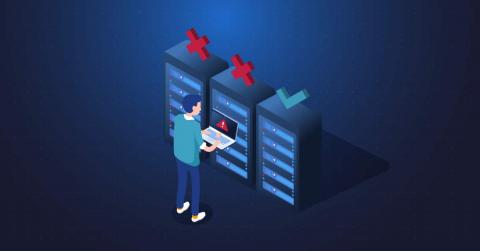
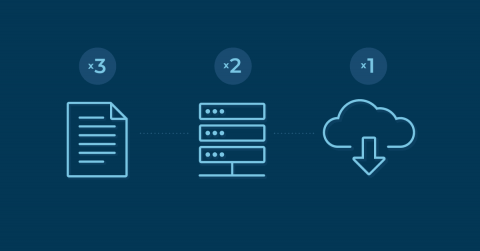
Data disasters are practically inevitable, but a planned out backup strategy can combat their damaging effects. The Cybersecurity and Infrastructure Security Agency (CISA) of the U.S. government is a major organization that recommends sticking to a 3-2-1 backup strategy. Follow the 3-2-1 backup rule to ensure that your data is kept safe.

Using Dropbox for Backup: What Businesses Need to Know

Dropbox is one of the oldest names around when it comes to cloud file storage, and the company has built a reputation as a reliable platform for file sharing and collaboration. Recently, Dropbox has been taking a few sidesteps from its roots and promising secure data backup features along with its staple file sync and share. Dropbox is not alone here. Most cloud storage solutions seem to be trying their hands at backup -- if not in practice, at least in terminology.

Data Backup and Recovery Explained

Data loss events frequently occur, but it seems that a good portion of companies are not fully prepared for these damaging events. An Avast report states that 60% of all backups performed are incomplete and restores fail 50% of the time. An increasing number of organizations depend on digital data, so data backup and recovery should be a top priority to potentially minimize both downtime and loss of data and ensure continuity of business operations.

Beyond Backup: To data protection, and beyond

A while back, we wrote about the differences between backup and data protection. While the points made there are still valid, the industry’s definitions of these terms have continued to evolve, as has our thinking on the topic. At N-able, we’ve settled on a definition shared by analyst firm William Blair in a recent report: data protection solutions should include backup, disaster recovery, and archiving/retention of backups.

Using OneDrive for Backup: What Businesses Need to Know

Microsoft’s OneDrive has proven itself a reliable platform to store and share files, and considering its ubiquity among Windows users, it’s often a small business owner’s first foray into leveraging the cloud for their operational needs. That familiarity leads many end users to wonder if OneDrive can be more than a file storage and sharing app -- could OneDrive also help me backup and protect my files?

3 Ways to Lower Backup Costs for Remote and Hybrid Workers

With the surge of remote workers and a need for increased flexibility, the traditional workplace is a thing of the past. According to Slack’s Future-Forum Pulse Report, the percentage of people working in hybrid and remote arrangements has increased to 58% in the United States. This means that organizations will need to adapt to a hybrid model to maximize employee productivity while supporting collaboration in and out of the office.