A Major Overhaul of AppSignal Dashboards: Powerful and Easy to Use
We’ve deployed a major overhaul of how you create dashboards and graphs in AppSignal. Using dashboards is now way easier and smoother, and we’re a bit too excited about this. 🚀
At Grafana Labs, we’re all big fans of the Prometheus and Grafana combination. To an extent, we just won’t shut up about it. We strongly believe in simplicity and think you shouldn’t need any extra effort to understand the metrics of your service(s) holistically. Yet we’ve all been in that situation where it is challenging to fully grasp what the metrics of our service(s) are and what they do. While naming conventions exist, at times they are not followed or enforced.
Earlier this year, we added a Dashboard API to Cloud Monitoring, allowing you to manage custom dashboards and charts programmatically, in addition to managing them with the Google Cloud Console. Since then, you’ve asked us to provide more sample dashboard templates that target specific Google Cloud services. Many of you have also asked us to provide a Terraform module to help you set up an automated deployment process.
Among the many new features introduced in Grafana 7.0, one of the most exciting ones is transformations. The concept of data transformation is not new to Grafana, but prior to Grafana 7, it was fairly rigid and available only in the Table panel.
Icinga Web is equipped with various features to create and manage custom views in dashboards. We’ve taken not that many users are missing some features for dashboards, like drag and drop and a better sharing functionality. To meet those needs we set ourselves the goal to increase the overall flexibility of dashboards and to add new features that improve the management and sharing functionality.
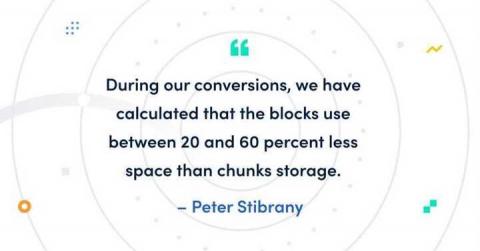
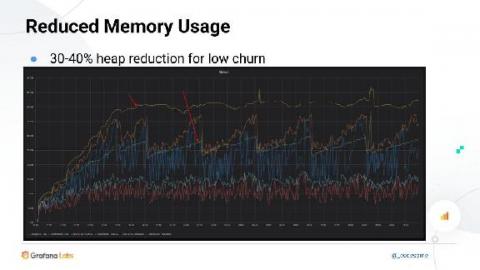
The just-released Prometheus v2.19.0 introduces the new feature of memory-mapping full chunks of the head (in-memory) block from disk, which reduces memory usage and also makes restarts faster. I will be talking about this feature in this blog post.
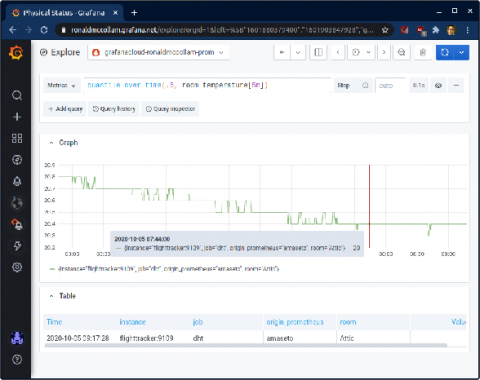
Running your software on dynamic infrastructure means that your monitoring platform needs to change dynamically. Variables let you reuse a single dashboard for all your services. Select the service you want to inspect from a drop-down menu, and watch panels update to only show you metrics from that service. Grafana lets you create dynamic dashboards using template variables. Any variables in your queries interpolate the current value of the variable before the query is sent to the database.
Last year, when a company that works with several of the world’s top carriers, OEMs, and enterprises to provide caller identity and spam blocking services for more than 120 million users needed to make changes to their monitoring service, Grafana Labs got the call. Hiya was founded in 2016, and from the start was a container-centric Kubernetes shop.
In Part 1 of this series, we compared the Azure portal vs. SquaredUp in terms of how easy it is to make a VM-level dashboard and how good that dashboard is in terms of features and functionality. In this one, we will compare the two portals in terms of application-level dashboards.