Version control systems are valuable tools for tracking and managing changes to software projects. They record every modification to software code and store the complete project history in a database, enabling developers to collaborate, experiment with new features, and roll back changes when necessary. Git is the most widely used version control system today.
Release notes provide essential documentation when a new software version is released. For release notes to be most effective, dev teams must consolidate all of the work that has been done since the previous release. It is a hectic task that requires a lot of effort and time sorting through weeks or even months of software issues and pull requests. Why not make the life of the release team easier by automating the creation of release notes?
What's the difference between SLAs vs SLOs vs SLIs. Understanding these little nuances are critical for DevOps folks. Here's a simple reckoner on what each of these mean.
Any software application or a system can have bugs and issues in testing or production environments. Therefore, logging is essential to help troubleshoot issues easily and introduce fixes on time. However, logging is useful only if it provides the required information from the log messages without adversely impacting the system’s performance. Traditionally, implementing logging that satisfies these criteria in Java applications was a tedious process.
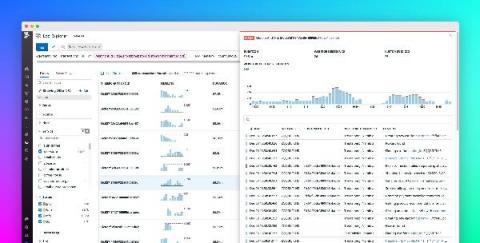
Modern, high-scale applications can generate hundreds of millions of logs per day. Each log provides point-in-time insights into the state of the services and systems that emitted it. But logs are not created in isolation. Each log event represents a small, sequential step in a larger story, such as a user request, database restart process, or CI/CD pipeline.
Azure File Storage is a cloud-based storage solution that allows users to create and manage file shares in the cloud. It is an excellent choice for businesses that require scalable and durable storage for their data. Azure File Storage Performance Tiers are one of the essential components of this solution, as they determine the level of performance and cost of your storage.
If you’re using Azure, you likely already know that it offers a wide range of storage options that can be used for various purposes. However, with so many storage options and regions available, it can be challenging to keep track of your usage in each Azure region. In this article, we’ll explore how to track your storage usage in each Azure region, and optimize your storage usage using Azure’s built-in monitoring and analytics tools, and Cloud Storage Manager.
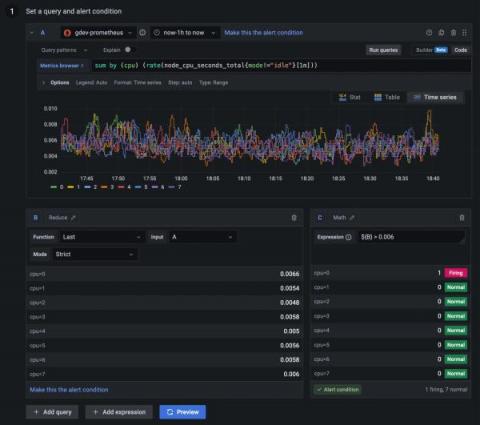
Since the release of Grafana 9.0, we have been listening to feedback for Grafana Alerting from both our customers and the Grafana community forums. We have heard many of your recommendations, suggestions, and frustrations and have made significant improvements to Grafana Alerting since it became generally available last year. Here at Grafana Labs, we are always striving to improve our product and provide the best possible experience for our users.