Operations | Monitoring | ITSM | DevOps | Cloud

No query, no problem: How LM Logs is built for everyone

So your team has access to a logging tool? Great! What’s the first thing you want to find? The latest config change gone wrong? Data from 30 days ago when a specific server was at high capacity? Or maybe you’d like to access logs for a certain IP on a certain day for specific HTTP and servers with counts and averages. Hopefully there was training to teach you the specific query languages and expert skills required to answer these questions.

Deploy a serverless workload on Kubernetes using Knative and ArgoCD

Containers and microservices have revolutionized the way applications are deployed on the cloud. Since its launch in 2014, Kubernetes has become a standard tool for container orchestration. It provides a set of primitives to run resilient, distributed applications. One of the key difficulties that developers face is being able to focus more on the details of the code than the infrastructure for it. The serverless approach to computing can be an effective way to solve this problem.

How to Tail Kubernetes Logs: Using the Kubectl Command to See Pod, Container, and Deployment Logs

Logs are a critical aspect of any production workload, as they give you insight into what is happening in your system and tell you which components may be having issues. The traditional method of looking at logs involves basic Linux commands like tail, less, or sometimes cat.

15 best iOS crash reporting tools for 2023

Picking the best iOS crash reporting tools available in 2023 is a tall order. The market has continued to get more competitive, and a best-in-breed tool needs to monitor crashes, generate crash reports, filter and group errors, plus perform other tasks on top. In this article, we’ve collected the 15 best iOS crash reporting tools to help you make the right decision for your particular requirements.

Overwhelmed with network infrastructure monitoring tools? Why go for many when you just need OpManager Plus?

Network infrastructure monitoring is a crucial part of modern IT business. You need a flawlessly functioning network to deliver services and products to the end users. As the size and complexity of a network grows, so do the stakes. Any issue in a large enough network will cause multiple repercussions, and network administrators fight an uphill battle trying to troubleshoot them. With the right sort of monitoring tool, you can ensure a better experience for both the users and the admins.

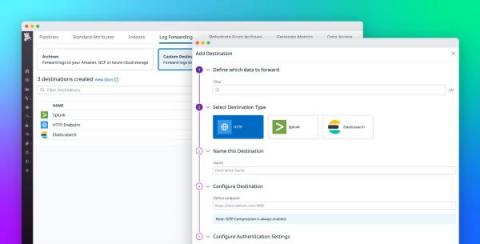
Route logs to third-party systems with Datadog Log Forwarding

Large organizations often rely on multiple monitoring tools, security platforms, and auditing systems to meet the diverse needs of their observability, security, engineering, and compliance teams. Because these teams may use the same logs for many different use cases—including detecting potential threats or breaches, troubleshooting errors, and gauging the effectiveness of new features—it can be difficult to effectively standardize and route data.

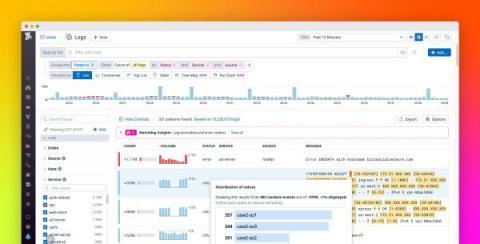
Discover the values behind log patterns with Pattern Inspector

Whether you’re rushing to troubleshoot an incident or proactively performing a security audit, the trial-and-error process of searching through millions of logs for key information can be time-consuming and cumbersome. To help you quickly surface important details from large swaths of log data, Datadog’s Log Explorer allows you to search and filter your logs, create visualizations, as well as group your logs by fields, patterns, or transactions.

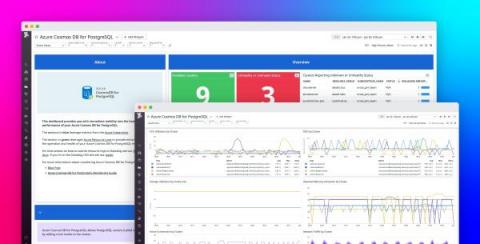
Monitor Azure Cosmos DB for PosgreSQL with Datadog

Azure Cosmos DB for PostgreSQL is a fully managed relational database service for PostgreSQL that is powered by the open source Citus extension. With remote query execution and support for JSON-B, geospatial data, rich indexing, and high-performance scale-out, Cosmos DB for PostgreSQL enables users to build applications on single- or multi-node clusters.