Wondering what the best way for employees to work more efficiently is? According to a Gallup poll, an engaged and productive workforce can increase corporate profits by as much as 21%. With the talent competition only increasing, every company’s IT and business leaders need to consider implementing workplace productivity strategies. In this article, we share tips for optimizing productivity levels for a modern workforce and exploring new ways of measuring it daily.
Service automation is the process of automating processes, events, tasks, and business functions. It offers multidimensional visibility of the business, which helps you streamline the business process. It integrates the domain functionality tools with various layers of automation within a unified interface or workflows.
Workday is a cloud-native solution for enterprise management. With its multitenant architecture, which supports a wide range of integrations and enables centralized administration of multiple Workday instances (i.e., tenants), Workday provides a unitary framework for managing human resources, financials, payroll, recruiting, analytics, and more. Along with Workday’s cloud-based delivery model, this multifaceted support offers flexibility that can be critical at enterprise scale.
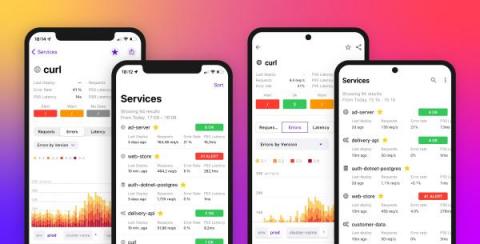
When you’re on-call for a critical service and get alerted to an issue that could impact customers, you need quick access to key performance metrics in order to effectively troubleshoot. But all too often, digging into this data requires you to switch from your mobile device to a laptop, restricting your ability to troubleshoot on the go and disrupting your routine.
Spending two decades in the middleware field has given me deep insight into the evolution of this technology domain. I began my career as a software engineer in a platform group, building reusable components using technologies like object linking and embedding (OLE), the distributed component object model (DCOM) and common object request broker architecture (CORBA).
IT infrastructure monitoring as a whole picture is about keeping track of the health and performance of all the IT assets in a network environment. The network management system gathers data on various metrics, like availability, health, performance, and utilization. Then IT infrastructure monitoring transforms this data into useful statistics that help enterprises scale their businesses.
Enterprises moving to Office 365 cloud-based applications require a new approach to ensuring deployment success. Of course, your end-users should receive a fantastic application experience, whether with Teams, SharePoint, OneDrive, etc. But when problems surface with slowness or call quality, the Microsoft Service Health Dashboard provides no visibility beyond their network - leaving IT admins in the dark. Today, I'll walk through a few critical Microsoft 365 use cases for monitoring purposes and how Exoprise Digital Experience Monitoring solutions can help.