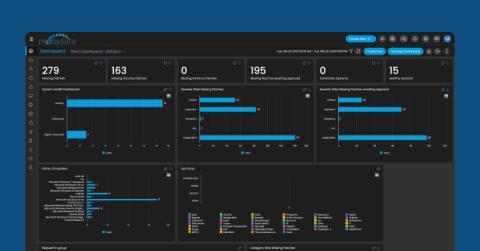
Did you know the NinjaOne API provides raw patching data that can be analyzed for greater patching insights? Jeff Hunter is your guide to getting more granular insights.
Patch management software automatically applies updates to software, firmware, and other system components. Patching makes sure resources are up to date with the latest security and performance improvements to keep software protected and performing as expected.
In today’s interconnected world, the digital landscape is evolving rapidly, but so are the threats that lurk within it. Cyber threats have become more sophisticated and pervasive, targeting organizations of all sizes and industries. This reality underscores the critical need for robust cybersecurity measures, including regular software updates with concerns in regards to the risks of delayed patching.
The two main ways to improve software are through patches and updates. While some may use the terms interchangeably, they are distinct processes that serve different purposes. By recognizing the differences between patches vs updates, software developers can effectively prioritize and communicate the nature of their releases, and your IT department can easily implement its patch management solution.
Because we live in an era where digital security is under constant threat from evolving cyber risks, effective patch management is more critical than ever. This strategy is not just about keeping systems up-to-date – it’s a comprehensive approach to safeguarding IT infrastructures against a spectrum of cyber threats, ensuring systems remain secure, compliant, and operationally efficient.
N-central’s first release of 2024 will bring a very welcome addition to the product for anyone responsible for Patch Management in the form of CVSS scores.
In the realm of information technology and cybersecurity, the regular updating of software is a cornerstone of operational integrity and security posture. The critical importance of software updates transcends mere IT maintenance; it is a strategic imperative in today’s digital ecosystem.
Meet George and Anna. They are both IT professionals who maintain Microsoft Intune for their companies. One uses N-able Cloud Commander and does it all with ease. The other, well, the other has a long day in store. See which ones uses their time efficiently and see how N-able Cloud Commander makes managing Intune easy.
Force-close your Windows update-induced frustrations and boot up a fresh new era of patch management enlightenment. In this webinar, you’ll learn how to master: Bring your most confounding questions and frustrations and join us for a wisdom-packed session that's sure to help you bring peace to your environment.
This instructional video provides information on how to use the Custom Patch editor within Security Controls, and how to create and edit custom patches for initial installation and updates. The information contained within this video is not a 'best practice' and is intended for educational purposes, not for architecture or design. Viewers of this video should always test their custom patches in a safe, development environment to ensure that their intended actions are being performed by the patches to prevent any unwanted behaviour from affecting live or production services.