Monitoring an API via HTTP POST and Phone Call alerts
Learn how to monitor an API by doing an HTTP POST request to it every minute and instantly be notified when it goes down. It all takes under 10 minutes so let’s dive in, head first.
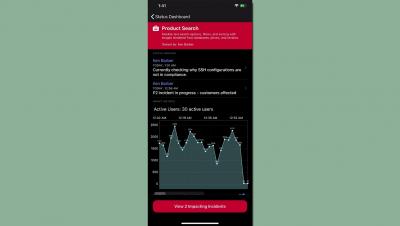
Love 'em or hate 'em, mobile push notifications can be very useful. They are not as intrusive as a phone call and have better information formats and control than text messages. Which is why it can be very frustrating to not get push notifications for your favorite product because it doesn't have a mobile app. In this post, we will see how to get mobile push notifications from any service, even if they don't have a mobile app.
Obviously 2020 was a very challenging and disruptive year. And for IT it brought unexpected pressure, the status pages of many of our clients were quite busy with the move to remote work and operations. But every challenge brings the opportunity to improve.
When an issue happens in your software in production, the channel to send the alert on depends on multiple factors. If it's a critical issue requiring immediate attention, you should alert the team member via phone call. But not all issues require a phone call, and in fact it may become annoying if your phone keeps ringing for minor issues. This is where other channels like SMS, Slack and mobile push notifications come in.
As an on-call engineer, you might deal with the day-in, day-out occurrence of alerts. These alerts may come from your alerting provider (PagerDuty, OpsGenie, etc.), Slack notifications telling you the site is down, or the ever concerning text message "Hey, is the site down?". These alerts elicit reactions that range from "shit" to "again?" and in many cases, both.