Operations | Monitoring | ITSM | DevOps | Cloud

How to Build Escalations That Actually Work

Most IT teams already know when something breaks. The real problem is making sure the right person responds fast enough. A server goes down. A customer-facing application crashes. A security alert triggers after hours. The monitoring system sends the notification. But nobody responds. The alert gets buried in Slack. The on-call engineer misses the push notification. The wrong person is scheduled. Everyone assumes somebody else is handling it. That is how small incidents become expensive outages.

ER-to-Physician Communication Workflow: Healthcare Critical Alerting Case Study

When a nurse calls for help, every second counts. ER nurses juggle a lot: admission decisions, discharge approvals, orders, physician consults. When they need support fast, they can't afford to chase down the right person manually. Here's how one physician-led medical group solved it using OnPage: Nurses leave a voicemail on a single intake line It's automatically routed into OnPage as an alert to the on-call triage coordinator.

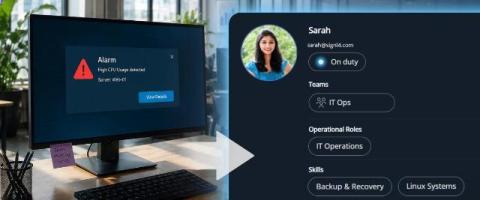
SIGNL4 Update: Centralize alerts. Automate response. Easier than ever.

Get ready for the new SIGNL4 update. The completely redesigned API makes it easier than ever to connect your systems and tools and consolidate alerts from every source – so nothing gets missed. With the new Automation menu, you can now manage automated alert routing and filtering from one central place, ensuring the right alerts reach the right person at the right time.

The inside scoop on alerting changes in Kubernetes Monitoring

Kubernetes Monitoring in Grafana Cloud comes out of the box with preconfigured alert rules that notify you about issues like CPU throttling, crash-looping pods, and nodes going offline. These rules are installed automatically when you set up the app, and they start evaluating immediately. But if you've recently reinstalled the Kubernetes Monitoring app and your alert notifications stopped arriving, or started looking different, you're not alone.

StatusHub Q1 2026: SolarWinds Integration, Status API Preview & CloudFest Insights

In Q1 2026, we introduced a new SolarWinds Observability integration, started preparing the upcoming Status API for release, and spent time learning directly from MSPs at CloudFest 2026 about the operational challenges shaping modern incident communication.

Exploring Powerful Power BI Dashboards for Smarter Decision-Making

Operational dashboards help teams answer urgent business questions quickly. They show whether production is on track, inventory is healthy, downtime is rising, or resources are being stretched too thin. This article explores practical Power BI dashboard examples for operational efficiency across production, supply chain management, resource planning, and performance measurement. It also explains how to build dashboards that support real decisions rather than simply displaying data.

SIEM alerts: everything you need to know

Let's walk through setting up SIEM (Security Information and Event Management) alerts to monitor security threats in applications. We will explain what SIEM alerts are, why they're relevant with regard to application security, and provide practical examples of common alerts a developer could implement. We will show how to configure simple alerts with Honeybadger Insights.

Alerting Software: 10 Must-Have Capabilities

Author: Matthes Derdack Businesses rely on countless systems, applications, and services to operate without disruptions. Whether it is cloud infrastructure, manufacturing equipment, IoT devices, healthcare platforms, or enterprise applications, every second of downtime can impact revenue, customer trust, and operational efficiency.

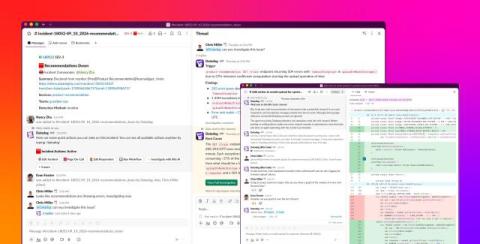
How to Assign Tasks to Slack Alerts Channels Guide

An alert fires in your Slack alerts channel. It sits there for four minutes while three engineers each assume someone else is going to respond. Nobody owns it. Nobody creates a ticket. By the time someone acts, the incident has escalated. This is the accountability gap that unstructured Slack alert channels create. Visibility without assignment is not enough.