There are many computing resources used in different cloud application services to provide online software-as-a-service (SaaS). SaaS differs from traditional applications in that it works from a cloud computing environment. This means that both the application service as well as user data are being hosted by a cloud provider in the cloud. Therefore, the SaaS and data are accessible from anywhere as long as there's online access. This model provides a distinct advantage from a software perspective.
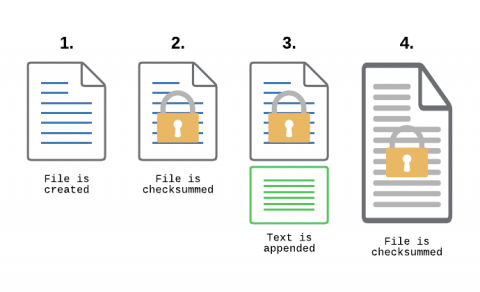
File Integrity Monitoring, aka as FIM, is a must-have feature for anyone in charge of security. With FIM, one can detect when a critical file, such as a file that belongs to the Operating System, or a key configuration file, is changed. In most cases, configuring FIM is straightforward: If the file changes then generate an alert.
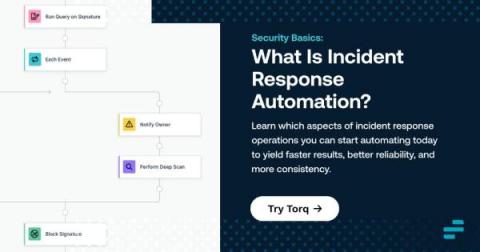
Incident response is one of the most challenging tasks that IT teams face. It's challenging not just because it typically involves many stakeholders and moving pieces, but also because teams usually face pressure to respond as quickly as possible. That's why investing in incident response automation is a wise choice. Although it may not be possible to automate every aspect of every incident response workflow, being able to automate at least the major elements of incident response will yield incident management processes that are faster, more reliable, and more consistent.Keep reading to learn about the components of incident response and which incident response activities to start automating.
Have you ever experienced the problem where your code is broken in production, but everything runs correctly in your dev environment? This can be really challenging because you have limited information once something is in production, and you can't easily make changes and try different code. Speedscale production data simulation lets you securely capture the production application traffic, normalize the data, and replay it directly in your dev environment. There are a lot of challenges with trying to replicate the production environment in non-prod.
Enterprises moving to Office 365 cloud-based applications require a new approach to ensuring deployment success. Of course, your end-users should receive a fantastic application experience, whether with Teams, SharePoint, OneDrive, etc. But when problems surface with slowness or call quality, the Microsoft Service Health Dashboard provides no visibility beyond their network - leaving IT admins in the dark. Today, I'll walk through a few critical Microsoft 365 use cases for monitoring purposes and how Exoprise Digital Experience Monitoring solutions can help.
Service automation is the process of automating processes, events, tasks, and business functions. It offers multidimensional visibility of the business, which helps you streamline the business process. It integrates the domain functionality tools with various layers of automation within a unified interface or workflows.