Operations | Monitoring | ITSM | DevOps | Cloud

The latest News and Information on DevOps, CI/CD, Automation and related technologies.

SSO is now available

We now support SSO (single-sign on), offering an improved login experience for our customers. SSO can be enabled on our website. We want our customers to have a great experience when using our products and part of that is an easy sign-in experience for users. Enabling SSO will remove the need for users to use their Redgate ID and password when signing into the customer portal and compatible products.


Azure File Storage Best Practices

Azure File Share is a cutting-edge service offered by Microsoft’s Azure platform. This robust solution allows seamless integration of serverless file sharing capabilities accessible through industry-leading protocols such as SMB, NFS, and Azure Files REST API. When effectively utilized, Azure File Share can drastically improve the file-sharing experience for cloud-based and on-premises deployments. In the realm of Dynamics 365 Business Central SaaS, it has demonstrated unparalleled benefits.

Free Preview Environments For Open-Source Projects

We at Qovery are excited to offer our Preview Environments for free to all open-source projects. A Preview Environment is like a sandbox where developers can see how changes to the code will work before these changes are final. This is great for projects where many parts, like the backend, frontend, and databases, must talk to each other.

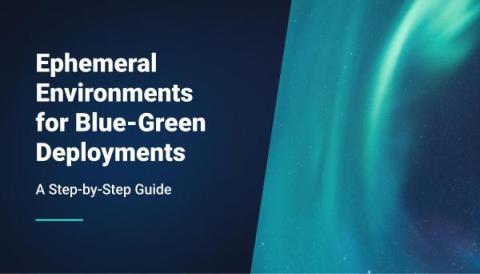
Ephemeral Environments for Blue-Green Deployments: A Step-by-Step Guide

Blue-green deployments have emerged as a beacon for seamless updates in software development. By juggling two environments, blue (old) and green (new), changes are tested and rolled out with minimal hiccups. Yet, traditional environments, with their database schemas and code differences, often throw a spanner in the works.

Observability Pillars: Exploring Logs, Metrics and Traces

The ability to measure the internal states of a system by examining its outputs is called Observability. A system becomes 'observable' when it is possible to estimate the current state using only information from outputs, namely sensor data. You can use the data from Observability to identify and troubleshoot problems, optimize performance, and improve security. In the next few sections, we'll take a closer look at the three pillars of Observability: Metrics, Logs, and Traces.

How do log analytics and Business Activity Monitoring differ for business users?

It is considerably difficult for Business users & support operators to understand a business architecture built using App Insights and Log Analytics, the amount of Azure knowledge is insufficient to monitor the business process. In this video, we will focus on a real-world scenario where you might be using Logic Apps and compare the differences between using Log Analytics diagnostics data and Serverless360 BAM.

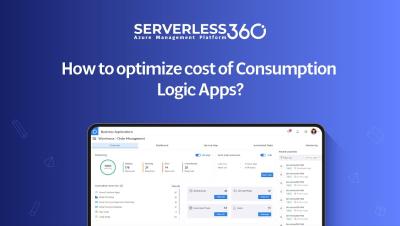
How to optimize cost of Logic Apps Consumption?

Our latest video on Logic App consumption and cost optimization! Are you looking to develop interfaces at minimal expense but worried about the potential money drain from unnecessary polling and checks? In this video, we've got you covered! See how Serverless360's powerful Cost Analyzer can help you trim down expenses, especially in non-production environments. Say goodbye to wasted funds and hello to smarter Logic App management.

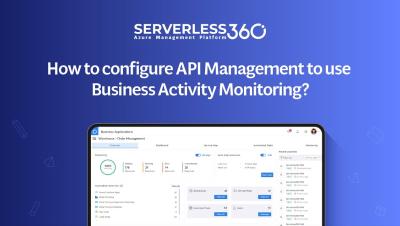
How to configure API Management to use Business Activity Monitoring?

Want to troubleshoot your Azure integration solutions faster and easier? In this video, we'll show you how to configure API Management to use Business Activity Monitoring from Serverless360. This will give you and your team of business and IT support users enhanced visibility into how your APIs are being used, and provide you with features like advanced monitoring, message reprocessing, and the ability to trace business transactions across your entire architecture.