Monitoring Windows processes in Pandora FMS
In this video you will learn how to monitor processes (also known as applications) running on Windows machines, where Pandora FMS software agents are installed.


For Windows teams that adopt a DevOps approach, augmenting their native toolset (GPO, SCCM, PowerShell) can offer reliable and repeatable processes that successfully affect change. This quick overview highlights how Puppet Enterprise can complement existing Windows tools for better visibility and transparency across the automation processes.
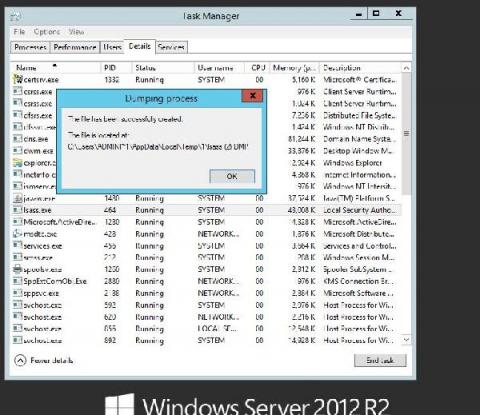
Most of the time, threat actors in the cybersecurity landscape don’t employ advanced techniques and tools to intrude and establish a foothold within networks. Often, they disguise malicious operations by mimicking the activities of legitimate users, leaving behind little to no footprint. Blending malicious actions with day-to-day IT activities helps attackers maintain a low profile and remain undetected for a longer period.
Today we finally have great news to share for everyone using Icinga to monitor Hyper-V and Windows Cluster environments. For quite some time we’ve been working on multiple new plugins to provide better monitoring option for Hyper-V and Windows Cluster. The new plugins are based on our PowerShell framework provided by Icinga for Windows. For the new plugins we decided to provide a preview first, in favour of a final release.
for more info check-out our guides and resources here: https://ubuntu.com/wsl
If you’re running a mix of Windows– and Linux–based hosts in hybrid or cloud environments, network monitoring is especially important—and especially difficult. As network topologies are becoming increasingly distributed and dynamic, you need a quick way to identify connectivity issues across regions, services, and operating systems.
Obkio users can now install Network Monitoring Agents on their Windows computers to collect network performance data and view it right on the Obkio app. Keep reading to learn all about the Windows Agents, including some key features and benefits.