Mailchimp
Not subscribed to OpsMatters Newsletter


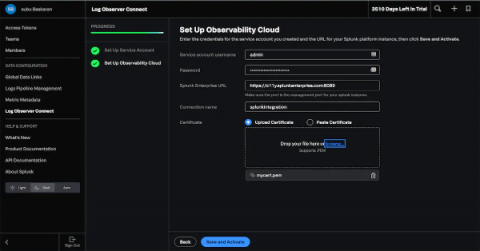
We are excited to announce that Splunk Log Observer Connect for Splunk Enterprise, previewed at.conf21, is now generally available! Log Observer Connect is a new feature that lets observability users explore the data already being sent to existing Splunk instances with Splunk Log Observer’s intuitive no-code interface for faster troubleshooting and root-cause analysis.
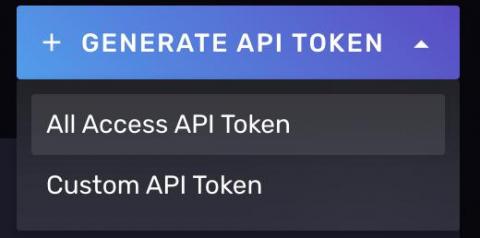
InfluxDB Cloud allows users to create API tokens that are used for authentication and authorization to sets of resources when interacting with our API. We recently made changes to the user interface so that after generating a token, you will need to immediately store it in a secure vault of your choosing for safekeeping. We made this change to conform to industry best practices around both token generation and retrieval.
People may not reminisce over 2021, but as Winston Churchill once said, “Those that fail to learn from history are doomed to repeat it.” 2021 swooped in on the coattails of a major supply chain data breach, and a lot of the challenges we experienced during this past year seemed to follow suit. To celebrate the best and hopefully move away from the worst that 2021 had to offer, this look back at 2021 trends can inspire us all to learn, and most of all, show us how to move forward.
Earlier this year we launched Datadog Apps, which seamlessly integrate functionality from third-party tools into Datadog’s centralized monitoring platform. This project has enabled us to collaborate with some of our partners, such as PagerDuty and LaunchDarkly, to extend the Datadog UI and provide our customers with new solutions for incident management, feature flag optimization, and more.
Microsoft Azure SQL Database is a platform-as-a-service (PaaS) database offering for modern cloud applications. It’s a fully managed service that runs on the latest version of the SQL Server database engine, enabling you to create highly available and performant database instances without needing to maintain hardware upgrades, patches, or backups.
In Part 1 of this series, we discussed key metrics for monitoring Microsoft Azure SQL databases. We also looked at how your database resource and audit logs complement metrics to provide more insight into database performance, activity, and security. In this post, we’ll show you how to collect metrics and logs from your database instances and monitor them with Azure’s monitoring and reporting tools.