Operations | Monitoring | ITSM | DevOps | Cloud

Don't build the autonomous AI factory first

Here's a scene playing out in engineering teams right now. An engineer spends the weekend running four or five coding agents in parallel. Monday morning, a teammate opens their laptop to 53 changed files with 2000+ diffs and a message that says, more or less, "should be good to merge." Nobody asked for this much output. Nobody has time to review it properly. The team doesn't feel faster. It feels ambushed.

AI SRE Agent Debugs a Lambda Timeout with the AWS MCP Server: AURA

A scheduled Lambda quietly stops completing and nothing pages you. AURA finds the function, reads its logs, and comes back with a three-second timeout. The usual path is opening the console, tracking down the right log group, and reading CloudWatch by hand. Here AURA connects to AWS through the MCP proxy AWS publishes, run locally with uvx against an AWS CLI that is already configured, so there are no new credentials to issue.

An 80% AI Adoption Rate Is Like an 80% Gym Membership Rate. It Doesn't Prove Anyone Got Stronger.

Leadership has stopped asking whether your team is using AI. They’re asking what you’re delivering with it. That’s a harder question, because most of the numbers teams have been reporting, adoption rate, seats activated, prompts run, don’t actually answer it.

AI agent cost: what agents really cost to run

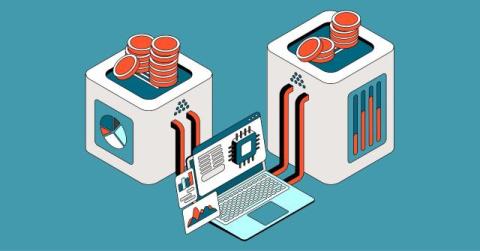
AI agent cost in 2026 is mostly a consumption bill, not a subscription. Running an agent costs anywhere from fractions of a cent for a simple routed task to $5 or more for a complex multi-step job, because one request can trigger 3 to 10 model calls behind the scenes. Average production deployments land between $3,200 and $13,000 per month in operational spend. Here is where that money actually goes.

Instrument serverless apps with agentic onboarding

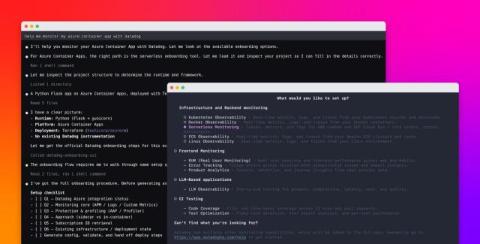
Serverless platforms like AWS Lambda, Google Cloud Run, and Azure Container Apps let teams run applications without managing infrastructure. However, getting full visibility into those workloads has traditionally required a lot of manual setup. A single team may deploy serverless applications across multiple clouds by using tools such as Terraform, AWS SAM, AWS CDK, and the Serverless Framework. Each of these platforms, runtimes, and deployment tools requires its own instrumentation steps.

Peer Review: CircleCI's CFO & CMO on What Comes After AI Code Generation

Last year was the year of AI code generation. This year is everything that comes after: validation, quality, and making sure what gets built actually ships. Nobody's better positioned to talk about that than CircleCI, and in this episode of Peer Review, CFO Blake Buisson and CMO Chitra Balasubramanian dig into what that moment means for the company and the people building it.

How to Manage AI Infrastructure in Your Traditional Enterprise Data Center

Managing AI infrastructure in a traditional enterprise data center comes down to validating that sufficient capacity exists before hardware arrives, then maintaining accurate infrastructure data to support planning, deployment, troubleshooting, and ongoing operations. This is because AI has changed what enterprise data centers were built to handle.

Every AI Agent You Add Leaves Something Behind to Clean Up

Adding a second AI agent to a project feels like doubling your output. In practice, it usually means doubling your bookkeeping too. Every agent needs its own worktree so it can work without touching the branch someone else, human or otherwise, is using. Multiply that by five agents across three repos, and the isolation that made parallel work possible starts generating its own kind of work: which worktree goes with which branch, which ones are stale, which upstream nobody remembers creating.

Scheduled Autonomous AI SRE Agent as a Kubernetes Guardian: AURA

Some agent work should pause for a person. This is the other case: a health check every two minutes, one bounded action, and a result nobody approved. Each scheduled run starts the normal AURA image in one-shot mode: check one workload, act if something is wrong, write the result to the job log, and exit. Overlapping runs are forbidden.