Just plug it in - Aiven & Temporal
Aiven for PostgreSQL® Temporal offers a microservice orchestration platform, and Aiven offers data infrastructure. Read why these two are practically made for each other!


Amazon Simple Storage Service (S3) is an essential cornerstone of AWS and among its most popular service offerings. S3 allows tenants to store, secure, and retrieve data from S3 buckets on demand. It is widely used for its high availability, scalability, and performance. It supports six storage classes and several use cases, including website hosting, backups, application data storage, and data lake storage. There are two primary components of Amazon S3: Buckets and Objects.
The attacks cybercriminals are using grow more complex and sophisticated by the day. However, with the help of big data analytics, you aren’t left defenseless. You can use big data analytics to fortify your cyber defenses and reduce your vulnerabilities. 1. Analytics can help you uncover suspicious patterns. Big data analytics protects your business data and strengthens your cybersecurity by providing valuable cybersecurity intelligence to your data analytics experts.
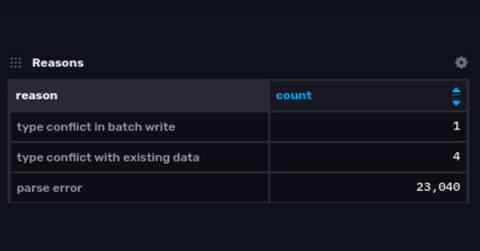
This article explores some of the ways that invalid data can be rejected when writing to InfluxDB and describes a new feature that makes it easier to know when and why that happens.
Knowing what business problem you want to address will help you know which data mining technique will produce the best results. Each of the data mining strategies listed below addresses a different business challenge and yields a different result. We are surrounded by big data in today’s digital world, which is expected to rise at a rate of 40% per year over the next decade. The irony is that we are awash in data yet deficient in knowledge. Why?
The FinTech revolution is truly transforming the way that we manage our money, bringing new online banks, new models for insurance provision, new ways to access loans, and much more. It rests on a number of pillars, but one of the most important is that of big data.
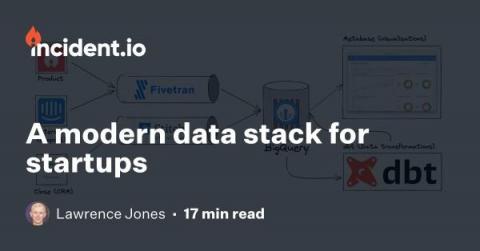
Nowadays, easy access to data is table-stakes for high-performing companies. Easy access doesn't come for free, though: it requires investment and a careful selection of tools. For young companies like us, the question is how much? And when do you make that investment? Having grown to ten people, several without engineering backgrounds but with strong data needs, we decided 2022 was going to be that time.
Founded in 1884 and located in Ghent, Belgium, Algist Bruggeman supplies fresh, liquid, and dried yeast to industrial, semi-artisanal, and artisanal bakeries, as well as to the beer, wine, and pharma industries. Algist Bruggeman is part of the Lesaffre Group, a key global player in fermentation for more than a century. Even with more than a century of industrial production behind it, Algist Bruggeman continues to evolve its manufacturing processes.
As most people were preparing to celebrate the new year, the UK’s Santander Bank was dealing with a crisis. On Christmas day, roughly 75,000 people who received payments from companies with accounts at Santander Bank received a duplicate payment transaction. The total damage amounted to £130m, and recovery in these situations is a painful process for both the bank and its customers.