Operations | Monitoring | ITSM | DevOps | Cloud

Rancher Desktop v0.3.0 Release

We are happy to share the v0.3.0 release of Rancher Desktop. This release brings more stability, some new features, and a fresh look to the UI. This screenshot shows the preferences screen while in dark mode on Mac. In the lower left corner the status when performing an action is now displayed. This status will tell you when Rancher Desktop needs to download something, such as a version of Kubernetes you have now used before, or when another step is happening.
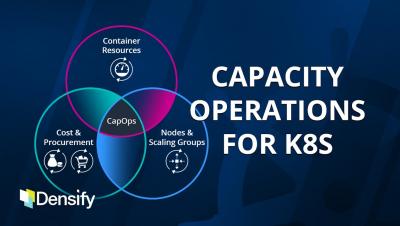
Capacity Operations for Kubernetes

Kubernetes adds undeniable benefits when it comes to flexibility and agility, but providing suboptimal resource specifications at the container or node level creates tremendous inefficiencies at scale, leaving resources stranded and utilization very low. Learn how the practice of Capacity Operations can augment DevOps and FinOps initiatives and enable greater agility for your operations organization.

The Visibility Gap: How to Avoid Blind Spots in IT Monitoring

IT monitoring is a requirement of the modern IT organization for ensuring the health and security of all layers in the IT stack. But, as inclusive as organizations try to be when maintaining a vigil over the moving pieces in a network, some systems ultimately escape notice. But instead of accepting this as a cost of doing business, consider the task at hand: prevent the unseen from causing harm to IT infrastructures and to the business processes reliant on them.

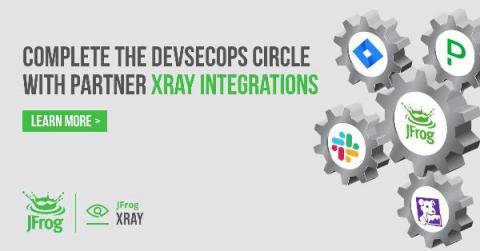
Drive DevSecOps Visibility with JFrog Partner Integrations

If you need your teams to act, you need to alert them where they’re already looking. Yet yesterday’s DevOps practices demand individuals to wrangle with uncorrelated events, multiple UIs, and siloed technologies. Tomorrow’s DevOps must enable teams with: To practice DevSecOps, you’ll need to know where a vulnerable build has been deployed into production, and where to find the corrected build that should replace it.

Work From Anywhere - How Much Bandwidth Do You Need?

Over the last year, when talking to large enterprises about employee experience management, one question has come up consistently, “How do I decide the right internet connection to ensure employees can get work done seamlessly?” Although we are well into the “work from anywhere” world, employee experience management is still something that companies are struggling with. Most employees continue to work remotely and are often moving to new places.

Contributing to Open Source

If you’re here you probably know the essence of open source already. To us, open source means more than just open source code – it’s also the ethics and the community feeling that goes along with that. For us it means that the people working on Icinga are more than just who we see in our office – Icinga lives from your ideas and contributions. And we want to invite you to join in on the fun!

Leverage Observability With OpenTelemetry to Understand Root Cause Quickly

An observability solution should help any incident responder understand what changed and why. A lot has been written on the difference between monitoring and observability, but an easy way to understand how both are integral to incident response is to consider how customers use PagerDuty—with both monitoring and observability tools—to get to the right answer.

Do you know what VMWare is and how to include it in monitoring?

Before we dive into how to monitor virtualized environments with VMWare, let’s clarify a couple of concepts for those who are less into the subject, starting withWhat is VMWare?. VMWare is a software product development company, mostly related to virtualization, and more recently to containerization, although this is beyond the scope of this article. Today, we are going to focus on monitoring virtualized environments with VMWare.