Operations | Monitoring | ITSM | DevOps | Cloud

Incident Ready: How to Chaos Engineer Your Incident Response Process | FireHydrant

We’re pretty sure using a real incident to test a new response process is not the best idea. So, how do you test your process ahead of time? In this video, FireHydrant CEO, Robert Ross, will share how FireHydrant customers leverage best practices to break, mitigate, resolve, and fireproof incident processes. We’ll show you how to use chaos engineering philosophies to stress test 3 critical parts of a great process.

Lead Times and Psychological Safety within the Five Ideals - Gene Kim

The biggest challenges engineering organizations face are not technical. They’re fundamental problems with how we think and go about doing work, and the environments that we work in. In this talk, Gene Kim will share the Five Ideals and how they relate to Chaos Engineering. He’ll also show how the Five Ideals help build stronger, better performing, and ultimately more reliable companies.

Everything You Need to Know About DNS Monitoring

In order to communicate, web pages, devices and applications need a common naming system which allows them to identify each other and send information. This is particularly important when the communication takes place over the Internet because of the large number of services and websites that need to be identified. This is why the Domain Name System (DNS) is so important for businesses. It matches website pages and devices to an IP address that can be traced by other devices.

Scaling CD Platforms in the Enterprise Through Self-Service

The concept of Continuous Delivery (CD) has been around for over a decade. Early adopters of CD have reaped the benefits of reduced cycle times coupled with greater stability and reliability. Yet CD is far from a “solved problem” with many organizations struggling to implement CD at scale (or at all!) due to organizational, process and technology challenges.

Tips and tricks to increase productivity in Mattermost

Our customers are always looking for ways to work faster and more effectively inside Mattermost. As a remote-first company, we spend most of our time collaborating inside Mattermost, and we’d like to think we’ve learned a thing or two about how to use Mattermost productively over the years. Here are some of our favorite tips and tricks for getting things done on Mattermost. We hope these examples help your team achieve similar productivity gains.

Lift the Haze of the Cloud With These 6 Considerations

Gartner says when COVID-19 hit the United States in March, 88% of businesses mandated or strongly encouraged employees to work from home. Sales, marketing, human resources, and most other business operations were all conducted from somewhere outside of the office. This drastic move required IT to accommodate employees in an entirely new way than what they had become accustomed to.

Using rKubeLog Collector for Aggregated Log Centralization

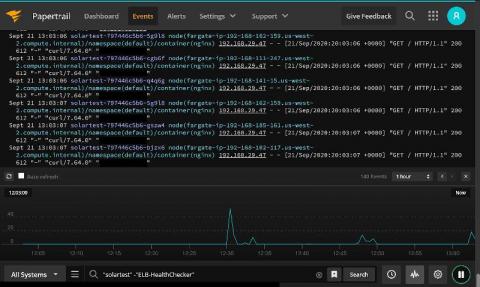
Debugging and resolving incidents in nodeless environments can be difficult, time-consuming, and most of all, frustrating. Exporting your logs from these ephemeral and disparate services to a centrally aggregated log is a great way to correlate information, quickly resolve incidents, and make your life a little easier.

A Few Minutes More: Add Xray DevSecOps to Artifactory Enterprise on Azure

In a prior blog post, we explained how to install or update Artifactory through the Azure Marketplace in the amount of time it takes for your coffee order to arrive on the counter. Now you can add to your self-managed (BYOL) Artifactory deployment Xray, the cream of software component analysis (SCA) tools, through the Azure Marketplace as well.

Avoiding Disaster With AIOps

AIOps is one of the fastest-growing categories in the IT operations management (ITOM) software space. With increasing demands on IT, the ability to leverage AI is critical to successful operations. The adoption statistics are quite staggering. Gartner reports that by 2022, 40% of large enterprises will use AIOps tools to support or replace monitoring and service desk tasks.

How to analyze IIS logs for better monitoring

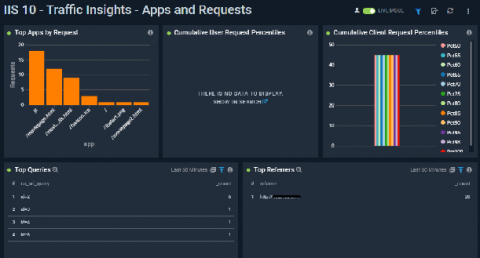
Log analysis helps organizations determine the best way to optimize application functionality while giving development teams a leg up in root cause analysis. With that said, it’s not feasible to scroll through thousands of lines of log entries in a text editor. Instead, development teams need modern tools that enable them to centralize, filter, and analyze their logs in a way that allows them to glean valuable insights in a time-efficient manner.