Operations | Monitoring | ITSM | DevOps | Cloud

The latest News and Information on Incident Management, On-Call, Incident Response and related technologies.

Public Demo - How to respond to incidents faster with ilert

In this public demo, you can get a first overview of how our incident response platform works. Our CEO, Birol, will show you how to manage on-call, respond to incidents and communicate them via status pages using a single application. Learn how ilert helps you to increase service uptime and become an uptime hero.
Sponsored Post

SRE Best Practices

Site Reliability Engineering (SRE) is a practice that emerged at Google because of its need for highly reliable and scalable systems. SRE unifies operations and development teams and implements DevOps principles to ensure system reliability, scalability, and performance. There's plenty of documentation on tactics for adopting automation and implementing infrastructure as code, but practical ops-focused SRE best practices based on real-world experience are harder to find. This article will explore 6 SRE best practices based on feedback from SREs and technical subject matter experts.

Introduction to Kubernetes Imperative Commands

Kubernetes was born out of the need to make our complex applications highly available, scalable, portable and deployable in small microservices independently. It also extends its capabilities to make adoption of DevOps processes and helps you set up modern Incident Response strategies to enhance the reliability of your applications.

Tickets Make Operations Unnecessarily Miserable

IT Operations has always been difficult. There is always too much work to do—and not enough time to do it. The frequent interruptions and high levels of toil certainly don’t help. Moreover, there is relentless pressure from executives that question why everything takes too long, breaks too often, and costs too much. In search of improvement, we have repeatedly bet on new tools to improve our work.

Escalation Policy I Round Robin & Advanced Escalations I Incident Assignment Strategies I Squadcast

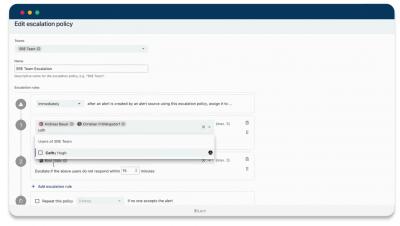
An escalation policy is a collection of rules used to define how and when an incident should be escalated. In Squadcast an Incident escalation happens when a responder hands off the task/incident to another member, and this handoff is subject to specific rules. This video explains how to set up Escalation Policies, and Round Robin Incident Assignment Strategy in Squadcast.

Integrating Microsoft Teams & Squadcast - Acknowledge, Resolve & Reassign Incidents | Squadcast

Teams using MS Teams can now integrate with Squadcast and easily Acknowledge, Resolve & Reassign incidents using MS Teams. You can configure Squadcast to send a notification to the configured MS Teams channel as soon as an incident is triggered.

Creating Routing Rules I Creating Incident Routing Flows I Alert Routing I Event Tags I Squadcast

Alert Routing allows you to configure Routing Rules to ensure that alerts are routed to the right responder with the help of event tags attached to them. This video explains how you can utilise Routing rules to create various incident routing flows.

Integrating Slack & Squadcast- Trigger, Acknowledge, Resolve & Reassign incidents from Slack channel

You can integrate Squadcast and Slack to collaborate efficiently with your team while working on incidents. Squadcast sends a notification to the configured Slack Channel as soon as an incident is triggered.

Alert Suppression Rules in Squadcast to prevent Alert fatigue | Squadcast

Alert suppression can help you avoid alert fatigue by suppressing notifications for non-actionable alerts. Squadcast will suppress the incidents that match any of the Suppression Rules you create for your Services. These incidents will go into the Suppressed state and you will not get any notifications for them.

Using StatusPage at squadcast | SRE Best practices | Squadcast

Let your customers know how your Services are doing, without them having to ask you about it. One of the core principles of SRE is Transparency and Status Pages help you communicate the status of your Services to your customers at all times, as opposed to you getting to know the status of your Services through support tickets logged by your customers.