Operations | Monitoring | ITSM | DevOps | Cloud

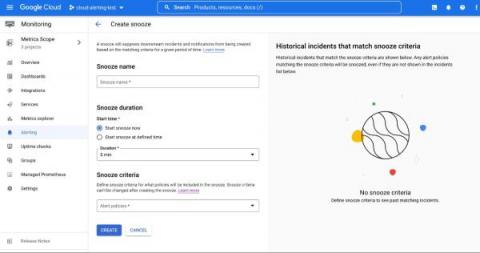
Snooze your alert policies in Cloud Monitoring

Does your development team want to snooze alerts during non-business hours? Or proactively prevent the creation of expected alerts for an upcoming expected maintenance window? Cloud Alerting in Google's Cloud operations suite now supports the ability to snooze alert policies for a given period of time. You can create a Snooze by providing specific alert policies and a time period. During this window, if the alert policy is violated, no incidents or notifications are created.
Alerting: A Key Part of Application Performance Monitoring

In today’s digital world, users expect to have a seamless experience in their day-to-day applications. To achieve such reliability and stability in our application, information about the health and performance of an application has become necessary for developers to gain insights and fix bottlenecks to provide a seamless user experience. One of the best ways to gain such insights into an application is to use a monitoring system.

The Power of using Enterprise Alerts Remote Actions via Cloudbridge

For over 20 years Derdack has been developing products that meet the challenges of incident management. It is well documented how Enterprise Alert and SIGNL4 not only filter through the noise with advanced alert policies, but also target the right on-call engineer with the use of sophisticated scheduling, anywhere ad-hoc collaboration and 2way communication back to the originating event source.

Quick Bytes - Lumigo Alerts

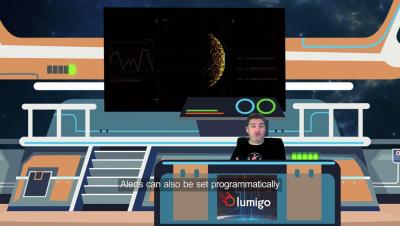
Lumigo Alerts allows you to create customized alerts for anything lumigo monitors, including event-based alert (e.g., timeout) and key metrics (e.g., error rate). The alerts can delivered via email or a multiple of platform integration options like slack, Microsoft teams and more. Make sure to subscribe so you don't miss out on any new livestreams and observability content! With one-click distributed tracing, Lumigo lets developers effortlessly find and fix issues in serverless and containerized environments

MTTJ - What is Mean Time to Join (MTTJ)?

MTTJ – The time taken to join a meeting, and delays caused in ensuring right people are available, can be avoided using software automation and tools. This is not an often talked about topic, but am sure everyone is affected directly from this. We discuss this in detail here. What, why and how it can be avoided?

Static vs Dynamic Alert Thresholds for Monitoring

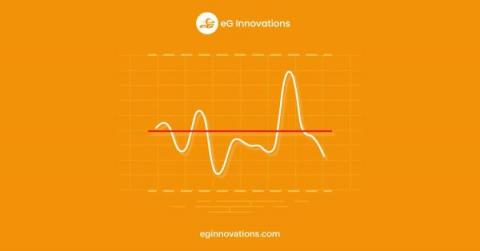
Every modern monitoring product will have some capabilities to leverage thresholds of some sort to automatically raise alerts when critical metrics pass a value that indicates something of concern may be occurring, such as a performance slowdown, resource constraint, or availability issue.

Alerting Techniques for an observable platform

Observable and secure platforms use three connected data sets: logs, metrics, and traces. Platforms can link these data to alerting systems to notify system administrators when an event requires intervention. There are nuances to setting up these alerts so the system is kept healthy and the system administrators are not chasing false positive alerts.

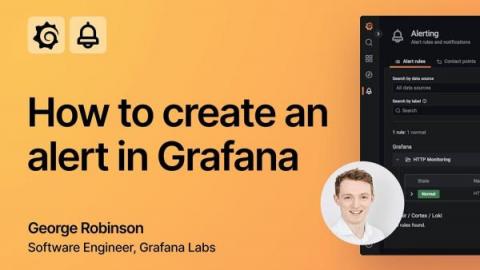
Grafana Alerting video: How to create alerts in Grafana 9

With the Grafana 9.0 release, we rolled out the new and improved Grafana Alerting experience, which is now the default alerting system across all of our products. Along with introducing significant improvements to Grafana Alerting based on community feedback and more robust alerting documentation to guide our users, we also created easy-to-follow video tutorials to help you get started with creating alerts.

Alert Suppression Rules in Squadcast to prevent Alert fatigue | Squadcast

Alert suppression can help you avoid alert fatigue by suppressing notifications for non-actionable alerts. Squadcast will suppress the incidents that match any of the Suppression Rules you create for your Services. These incidents will go into the Suppressed state and you will not get any notifications for them.