Mailchimp
Not subscribed to OpsMatters Newsletter


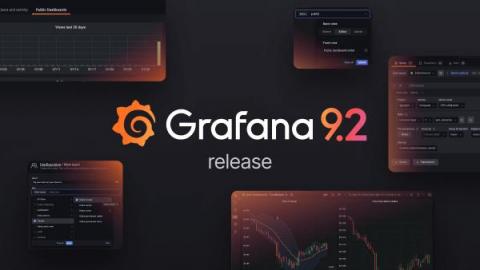
Welcome to Grafana 9.2, a jam-packed minor release with a wide range of improvements to help you create and share Grafana dashboards and alerts. Along with new developments for public dashboards and support for Google Analytics 4 properties, Grafana 9.2 offers new ways to connect with support teams about panel issues, a simplified query variable editor for Grafana Loki, improvements to access control, and much more.
You’ve probably been using Puppet Forge modules to manage bits in your infrastructure for years. If you’re like most of us, you’ve gradually added more modules and maybe you’ve lost track of exactly what some of them do and on what nodes they’re declared. You may even suspect that you have modules installed that you haven’t actually used in years…. only you’re not quite certain which modules those might be. I am certainly guilty of this!
At Honeycomb, the datastore and query systems that we manage are sociotechnical in nature, meaning the move to observability requires a sociological shift as much as it does a technical one. We've covered the technical part in several prior discussions for our Authors’ Cut series, but the social aspect is a little squishier. Namely: How do you solve the people and culture problems that are necessary in making the shift to adopt observability practices?
The Microsoft Call Quality Dashboard (CQD) does a solid job of helping admins check call and meeting quality across their Teams setup. But wouldn’t it be handy if you could get more out of CQD and make optimizing Teams for your business easier? Here are 3 ways to do just that. Although Microsoft provides the core quality data for you to accurately monitor Teams performance, there are other things you can do to augment your call quality dashboard.
Privacy enhancing technologies and confidential computing are two of my favorite topics to talk about! So much so that I am writing this blog post on a sunny Saturday afternoon. But wait, what’s that I hear you murmuring? “What is confidential computing? And how does it affect me?” Those are two very good questions.
In computing, virtualization is the creation of a virtual — as opposed to a physical — version of computer hardware platforms, storage devices, and network resources. Virtualization creates virtual resources from physical resources, like hard drives, central processing units (CPUs), and graphic processing units (GPUs). By virtualizing resources, you can combine a network of resources into what appears to users as one object.
Over the past few Boot Camps I’ve done since becoming a Head Nerd, automation has been a continuing topic of discussion, and one that brings up various roadblocks. Many of the MSPs that I have talked to one-to-one after the Boot Camps have said they were “embarrassed” to ask more questions about automating their service delivery as they didn’t want their peers “laughing” at them. If you fall into this category, don’t panic!