Operations | Monitoring | ITSM | DevOps | Cloud

MTTR Is Not a Time Problem. It Is a Context Problem

Your Mean Time to Resolution (MTTR) has likely stayed flat for three or four quarters. The investment was real: scheduling tools, dispatch optimization, new training modules, and more technicians. Operations reviews still dissect response time, travel time, and wrench time. The metric still refuses to move. Most field service leaders measure MTTR from the start of the repair to the moment the asset returns to service.
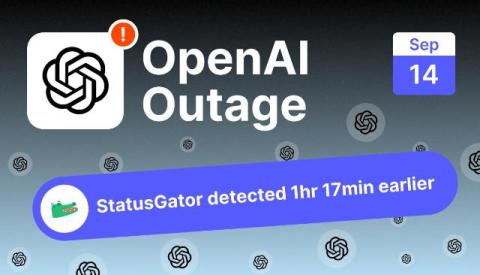
OpenAI outage on September 14, 2026: "some tools are temporarily unavailable" errors hit ChatGPT worldwide

ChatGPT’s tools and workspace features failed for users around the world on September 14, 2026, with the message “Some tools are temporarily unavailable” blocking spreadsheet and document creation, Codex, Projects, file reading, and dictation while core chat largely kept working. StatusGator sent an Early Warning Signal at 14:41 UTC, 1 hour and 17 minutes before OpenAI publicly acknowledged the incident at 15:58 UTC.

The Context Switching Cost of On-Call Work, and How Teams Reduce It

Ask an engineer what on-call costs them and most will describe a page at three in the morning. Those nights are real, and they are also comparatively rare on a healthy rota. Teams plan for them, compensate for them, and talk about them openly. The larger cost is quieter and almost never discussed, because it does not look like an incident. It is what happens to an ordinary Tuesday when you are carrying the pager: work arrives in fragments, nothing deep gets finished, and by Friday you have been busy for five days without being able to say what you built.

Swarm Investigation: Watch AI Agents Resolve Incidents in Minutes | BigPanda

Swarm investigation puts an entire team of AI agents on a major incident at once, cutting root cause discovery from hours to minutes. Every minute of a major incident costs real money, and traditional investigation, whether it's one engineer chasing a hypothesis or a team coordinating across tools, can't keep pace. This video shows how BigPanda's Swarm investigation dispatches AI agents to query systems, compare signals, and validate root cause in real time. See how autonomous incident response turns hours of manual troubleshooting into minutes.

EU AI Act 2026: delay, new deadlines & article 73 reporting

On July 27, 2026, the Digital Omnibus on AI, Regulation (EU) 2026/1744, entered into force and rewrote the EU AI Act's timeline. The high-risk obligations that were due to apply on August 2, 2026, including Article 73 serious-incident reporting, now apply from December 2, 2027 for standalone high-risk systems (Annex III) and August 2, 2028 for AI embedded in regulated products (Annex I). Not everything moved.

Critical Event Management Platforms: What They Are and What They Do

Critical event management platforms help organizations identify, communicate, and respond to critical events that threaten people, operations, facilities, IT systems, or business continuity. Modern critical event management software can combine event management, mass notification, situational awareness, incident response, and operational resilience – but not every platform approaches critical event management in the same way. Some CEM platforms focus on risk intelligence and threat monitoring.

How Pharmacies Can Streamline Call-In Prescription Workflows With OnPage

Pharmacists manage much more than dispensing medications. Throughout the day, they may be processing prescriptions, communicating with healthcare providers, assisting patients and coordinating with other pharmacy staff, all while managing a steady flow of incoming calls. For pharmacies that accept prescriptions by phone, those calls add another important communication workflow to an already busy environment.

Incident Management Best Practices for Modern IT Teams

Incident management used to be easier to picture: an alert arrived, a ticket opened, a support team followed a process, and service returned. Today’s incidents move across cloud platforms, SaaS applications, networks, identity services, observability tools, ITSM queues, and engineering teams. The fundamentals still matter, though. Clear process, ownership, communication, and learning matter more when the environment becomes harder to understand. What has changed is how teams execute them.

Meet Ada - AI Assistant: Ask the Question, Approve the Change

Ask any operations team what question comes up most, and it isn’t about alert routing or escalation logic. It’s the one typed into a channel a dozen times a day: who’s on call for this right now? It’s also one of the slowest questions to answer. The schedule is set up correctly, the overrides are in place, and the group’s ownership is right.

How to Send Critical Alerts to the OnPage App | 3 Ways

What are the different ways to send a critical alert to the OnPage app? This video shows three ways people and external systems can trigger a high-priority OnPage mobile alert that's also HIPAA compliant (secure or healthcare use cases): These options are particularly useful for users with OnPage mobile licenses who do not have a Silver or Gold plan.

The 5 Stages of AI-Human Collaboration to Improve Operational Reliability

AI adoption is now a measurable driver of both uptime and growth. According to PagerDuty’s 2026 State of AI-First Digital Operations report, 75% of organizations actively incorporating AI into digital operations claim to have improved operational resilience and maturity over the past year. The same report suggests AI in operations is also a revenue driver.

Almost excited to get paged

Six weeks into my internship, I was handed the biggest project I'd ever worked on: WhatsApp notifications for on-call paging. It was bigger by a large margin. When we scoped it out it broke into about a dozen chunks, each roughly the size of a whole project I'd done before. This is what I learned from it, and what it was like leading a project of that size as one of the most junior engineers at the company.

ilert now supports a native Bleemeo integration

Bleemeo monitoring now connects natively to ilert, linking threshold detection to on-call management and alerting. DevOps, SRE, and IT operations teams get a direct path from a breached threshold to the phone of the engineer who can fix it, and back to a clean slate once the problem is gone.

Incident Management System: What It Is and How to Choose One

An alert fires. A ticket opens. Someone gets paged. Then the real work begins: gathering context, finding the affected service, deciding who owns the issue, running diagnostics, applying a fix, validating recovery, and documenting the result. Many IT teams assume that an incident management system is simply the application that opens and tracks the ticket. That is part of the job, but it’s not the whole operating model.

On-Call Alerting vs. Mass Notification: What's the Difference?

When an urgent situation occurs, organizations need more than a way to send a message. They need a communication strategy that considers who needs to receive the message, whether they need to take action and how quickly they need to respond. This is where the difference between on-call alerting and mass notification becomes important. A critical IT incident, for example, may require an immediate response from a specific on-call engineer or incident response team.

Top 10 Incident Management Tools Compared

An IT incident costs the most in the minutes between the first alert and the first owner. Incident management tools exist to shrink that window. However, choosing the best incident management tools is not as straightforward as we’d like it to be. The 2026 market has its own complications, Opsgenie is going away on April 5, 2027, and Squadcast has been folded into SolarWinds.

How to Configure Redundancy Channels in the OnPage Console

Learn how to configure redundancy notifications and copy recipients for a contact in the OnPage Console. This video walks through disabling Secure Messaging, setting the redundancy time interval, selecting additional delivery channels and sending message copies through email, SMS or IVR/voice call. Important: Disabling Secure Messaging means messages will no longer be delivered through OnPage’s secure channel. This configuration is not HIPAA compliant and should not be used for healthcare communications requiring HIPAA compliance.

Automate Incident Management with PagerDuty Slack

Most organizations managing major incidents realized that every moment matters. Context-switching between different tools – with multiple web and chat surfaces having to be open to collect information causes friction. The cost of context-switching during an outage is even more painful. These are the problems that PagerDuty’s Slack Transformation just closed.

SSL Certificate Expiry Alerts in Slack

Certificate expiry is the most predictable outage in all of infrastructure. The date is printed inside the certificate. You can read it ninety days ahead. Nothing about it is a surprise, and yet SSL certificate expiry alerts remain one of the most common gaps in otherwise mature monitoring setups, and expired certificates keep taking down production systems at companies with serious engineering teams.

Google Calendar On-Call Rotation Template

Most teams building an on-call rotation template in Google Calendar get the first two steps right and the third one wrong. Creating a shared calendar is easy. Inviting the team is easy. Expressing "four people, one week each, forever, handing off Monday morning" as a set of recurring events is where it falls apart, usually into a mess of one off entries that someone has to rebuild by hand every quarter.

Cron Job Monitoring: Catch Silent Failures

Cron job monitoring is the part of observability most teams skip until a backup turns out to have stopped running three weeks ago. A web server that falls over generates errors, trips a threshold and pages someone inside a minute. A nightly job that quietly stops running generates nothing at all. There is no error rate to alert on, no latency spike, no failed health check. There is only an absence, and absence is invisible to almost every monitoring setup by default.

24/7 On-Call Coverage With a Small Team

Running 24/7 on-call coverage with a small team is first of all an arithmetic problem, and most teams avoid doing the arithmetic because the answer is uncomfortable. There are 168 hours in a week. Your engineers work roughly 40 of them. Somebody has to be reachable for the other 128, and if you have four engineers, that somebody is each of them, one week in four, thirteen weeks a year.

ilert AI SRE is generally available

When you get paged at 3am, it takes about 30 seconds for the notification to reach you and maybe two minutes until you're in front of a laptop, awake enough to read. What you see then is usually a raw alert. A metric name, a threshold, a link to a dashboard. Then the ritual starts: open the dashboard, check what deployed in the last few hours, grep the logs for the first error, ask in Slack whether anyone touched the database. ‍ Most of that time is search.

Incident Response Metrics Worth Tracking (Beyond MTTR)

Most engineering teams track exactly one incident response metric, and it is usually MTTR. It appears on the quarterly slide, it goes up or down by a few minutes, someone says "we need to bring that down," and nothing about the next incident changes. The problem is not that teams measure the wrong thing out of laziness. The problem is that incident response metrics are genuinely hard to design, and a single average duration is the easiest number to produce from an incident tracker.

The AI Economy Has a Senior Engineer Problem. Here's How to Solve It

According to a 2025 report from Ravio, entry-level hiring (especially in engineering roles) has collapsed by more than 73% due to increasing AI capabilities. That means junior developer jobs are disappearing. At the same time, demand for senior engineers keeps climbing because organizations need more people to manage and optimize their complex AI agents.

The most expensive half-hour of an incident.

It’s not the outage, it’s the stretch before you know what actually broke In short: VictoriaMetrics Enterprise support is expertise, not a ticket queue. It’s reactive by design (you reach engineers who know the stack when something breaks), with one proactive service, Monitoring of Monitoring, that watches the health of your VictoriaMetrics observability stack (metrics, logs, and traces).

How to Define Incident Severity Levels That Work

Incident severity levels exist for one reason: so that a responder who was asleep ninety seconds ago can decide, without debate, how many people to wake up. Everything else (the reporting, the SLA math, the quarterly review slides) is downstream of that one decision. If your scale cannot be applied in under thirty seconds by someone with partial information and no context, it is not a severity scale. It is documentation.

Automate PagerDuty Workflows in Slack

Most teams wire up PagerDuty Slack workflows in the shallowest possible way: an incident fires, a message appears in a channel, and a human reads it and then goes somewhere else to do the actual work. That is a notification, not a workflow, and it leaves most of the value on the table. The useful version automates the steps between the alert arriving and someone competent looking at it. Who gets assigned. Where the conversation happens. Who else needs pulling in.

What's new from BigPanda: September 2026 Product Updates

Most teams we talk to are fighting the same battle. The knowledge needed to make a decision already exists somewhere. However, it’s locked in a tool your team isn’t looking at, or in the head of the one engineer who’s seen this same type of incident before. This month’s updates all chip away at that same problem. Here’s what’s new.

The enterprise changed. ITOps didn't.

The modern enterprise runs on a technology stack that changes faster than the operating model responsible for keeping it available. Applications that once moved through scheduled releases now change continuously. Infrastructure is distributed and dynamic. Services depend on other services, teams depend on other teams, and operational data arrives from more places than any individual can reasonably inspect. The business asked for agility, flexibility, and velocity, and the tech delivered.

How to Design an On-Call Escalation Policy That Works

An on-call escalation policy is the part of your incident response that runs when nobody is looking. It fires at 3:14am, decides who gets woken up, decides how long to wait before waking up somebody else, and decides when to stop trying. Most teams write one in an afternoon, wire it to a rotation, and never touch it again until an incident goes badly and the retro asks the uncomfortable question: why did it take forty minutes for a human to acknowledge?

Create an OnPage Account: Quick How-To

Learn how to download the OnPage app and create a new account. This quick tutorial walks you through entering your account details, choosing a unique OnPage ID, creating a password, and completing registration. You’ll also learn how to enable notifications and critical alerts so important OnPage alerts can sound and appear on your lock screen—even when your iPhone is muted or Focus mode is enabled.

Recover Your OnPage Password: Quick How-To

Forgot your OnPage password? Enter your OnPage ID, click Next, and select Forgot Password. Submit the email address associated with your account or your OnPage ID, then click Recover Password. You’ll receive a temporary password by email, which you can use to log in and create a new password. If you don’t see the email, check your spam folder.

Slow Degradation Incident Response: The 7 Hour Ramp

At about 2 a.m. Eastern on Sunday, September 6, 2026, reports that Google services were failing started trickling into Downdetector. They did not spike. They climbed. By roughly 9 a.m. the volume was running about ten times higher than normal, with users saying that Google Search, Gmail, YouTube and YouTube TV were failing to load. That is a seven hour ramp, and it is the single hardest incident shape for an on-call team to catch.

Why Most Security Firms Miss Their Incident Prevention Window

Security operations managers face a critical paradox: their teams are designed to respond to incidents, but the incidents that matter most are the ones that never happen. The difference between a security firm that prevents problems and one that merely responds to them comes down to a single, often-overlooked factor: whether they can see what their guards are actually doing in real time. When operators lack live visibility into patrol locations, guard status, and emerging threats, they're always one step behind.

How to Write Runbooks Your On-Call Team Actually Uses

Most engineering teams have on-call runbooks. Very few have on-call runbooks that anyone opens during an actual incident. The document exists, it was written with good intentions during a quiet sprint, it is linked from a wiki page called "Operations", and when the pager fires at 3 in the morning the responder ignores it completely and starts guessing in a terminal instead.

Introducing Swarm Investigation from BigPanda: Autonomous, multi-agent IT incident investigation

When a major incident opens, the opening minutes often become a race across disconnected tools and competing theories. One engineer checks a monitoring tool. Another scrolls through change records, looking for the one line that explains everything. A third pings Slack, asking if anyone has seen this before. While these are reasonable steps, taken one at a time, in sequence, they are far too slow.

Introducing Spike's new look: designed to scale.

Today, we are introducing Spike’s new logo, a new website, and honestly, a new identity from the ground up. This is very exciting day for all of us at Spike. More companies are being built today than at any other point in history. Small teams are making big products. And no matter the size of the team, every single one of them needs reliability. Reliability should not be a second-class citizen for any company, no matter where they are in their journey.

Incident Chat and Virtual War Rooms: How to Improve Incident Response

How do you keep incident communication organized during a critical incident? Effective incident response requires more than getting an alert to the right person. Once responders are engaged, they need a shared place to exchange information, coordinate actions, and track decisions. A dedicated incident chat – or virtual incident war room – keeps that collaboration tied directly to the incident instead of scattering it across email, Microsoft Teams, Slack, text messages, and phone calls.

OnPage Mobile App User Guide

How to Use the OnPage Mobile App Get more out of the OnPage mobile app with this step-by-step walkthrough. In this video, we take an in-depth look at the app’s key features and show you how to use them, from managing alerts and responding to incidents to staying connected wherever you are. Whether you’re new to OnPage or looking for a quick refresher, this guide makes it easy to get started.

Assign Bugs and Tickets to the Current On-Call, Automatically

There is a particular kind of ticket that costs more than it should. It is filed correctly, it has a good description, it is in the right project, and it has nobody's name on it. It sits in the queue for two days because everyone who looks at the board assumes someone else has it. Then a customer follows up, someone notices, and the fix takes twenty minutes. The gap was never engineering time. It was ownership.

PD Automation Runner: Automation That Finally Reaches Your On-Prem Stack

This blog post is part of PagerDuty’s ongoing series on how we’re helping customers navigate their journey towards autonomous operations. Read on to learn about how PD Automation Runner, now in Early Access, builds towards this vision. Your on-call engineer gets paged for a critical alert on a self-hosted Kubernetes cluster. If this were a cloud-hosted service, Workflow Actions and the SRE Agent would already be working the problem: pulling logs, checking health, surfacing a fix.

See It, Approve It, Revoke It: Scoped OAuth for Public Apps

This blog post is part of PagerDuty’s ongoing series on how we’re helping customers navigate their journey towards autonomous operations. Read on to learn about how Scoped OAuth for Public Apps, now in Early Access, builds towards this vision. Your security team asks a simple question during a routine review: which third-party apps can reach our PagerDuty data right now, and what exactly can they do with it?

Managing Dedicated Lines in OnPage | How to Set up Dedicated Lines

Learn how to set up and manage Dedicated Lines in OnPage. In this step-by-step tutorial, we’ll walk through how to configure your Dedicated Lines to control how incoming calls are received, processed, and routed. You’ll learn how to:✓ Configure basic line details✓ Customize call processing behavior✓ Set up interactive routing menus✓ Add caller instructions and prompts✓ Review and save your Dedicated Line settings.

Identity Provider Outage: The On-Call Blast Radius

An identity provider outage is the one failure mode where your dashboards stay green and your entire company stops working anyway. On August 31, 2026, Microsoft acknowledged a widespread Exchange Online incident at 5:30 PM UTC, tracked as EX1464935, and described it in the admin center as "a common failure pattern across affected Exchange Online requests that is associated with authentication and protocol connectivity." Tens of thousands of users were affected according to Downdetector.

Incident Management: 20 Years of Change

Incident management fundamentals still apply, even as hybrid cloud and Kubernetes reshape incidents. Garrett Douglas joins LogicMonitor's Coffee and Context on why one failure floods ITOps with alerts and fuels alert fatigue. The bottleneck is incident context: knowing which alerts matter for incident response. Forrester's report Incident Management Has Outgrown Its Playbook frames context as the new competitive advantage.