Mailchimp
Not subscribed to OpsMatters Newsletter


Cloud infrastructures have introduced increasing levels of complexity—you have to manage workloads across on-premises, private, and multiple public cloud environments. This requires you to migrate efficiently, optimize effectively, and stay rightsized on an ongoing basis, all while meeting evolving business requirements. With so many moving parts, it can be a massive challenge with lots of pitfalls that can cost you time and money and even put your business results in jeopardy.
Intel and Canonical collaborate to build and publish OpenVINO™ container images based on the Ubuntu ecosystem. This work aims to provide trusted, secure, and developer-friendly container images for AI/ML applications in many industries.
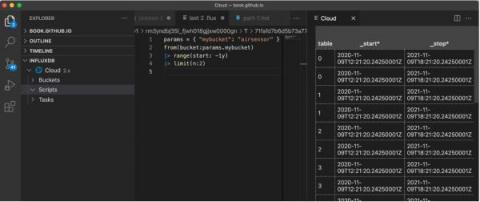
If you’re familiar with InfluxDB Cloud, then you’re probably familiar with Flux already. Flux enables you to transform your data in any way you need and write custom tasks, checks, and notification rules. But what you might not know is that InfluxDB Cloud now supports API Invokable Scripts in Flux.
Grafana is as open source analytics and interactive visualization application. You can connect different data sources to display chart and graphs or even trigger alerts. Wouldn’t it be great to add information about SIGNL4 alerts or about who is on call as part of your dashboard? In this case you immediately get an overview about open, acknowledged, and closed alerts per category. Of you can see wo it currently on duty. Here is an example with a who-is-on call, and an alert overview panel.
“Thanks to Enterprise Alert and the acknowledgement function, we can track the alerting and response digitally and have the certainty that our employees always take care of incidents in our critical IT infrastructure in a timely manner. IT alerting with Derdack, which has to be documented according to BaFin KRITIS, is highly reliable.”, Markus Reusch, Product Owner Monitoring, Debeka
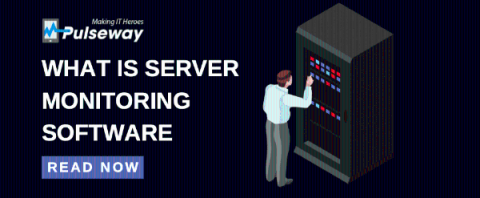
Your IT infrastructure runs on servers, which makes them vital to the performance of your entire IT environment. therefore, it is essential to monitor your servers to ensure there isn’t any disruption in performance and uptime. Servers are devices or applications that can store, process and deploy resources to other devices, applications or users. Now that you know how important servers are to an IT environment, what happens if a server stops working?
Service level agreements (SLAs), if used correctly, can be one of the most important tools in a service-oriented organization. Done well, they communicate what’s expected of all parties and can go a long way to improving the relationship between the business and its IT organization. Some would even argue that good IT service management (ITSM) is built on a bedrock of SLAs (as well as continual improvement). Here are four tips for building more effective SLAs.